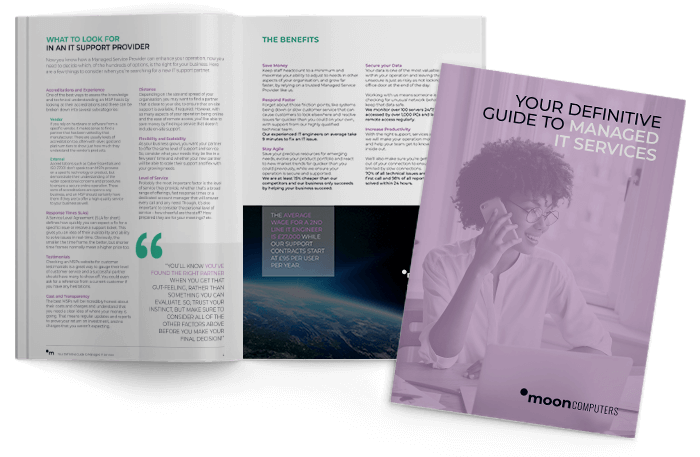
Chances are, you’ve already got Copilot…
But are you and your team using it?
Our Quick Start Guide sets out the numbers that prove Copilot’s value.
-
Time-saved breakdown
-
Readiness checklist
-
Security and governance advice
-
Tested use cases
-
Much more
Discover what you’re missing out on
by downloading it today for FREE!
What can Copilot do?
Save time
Draft emails, summarise meetings, create reports and produce first drafts in seconds rather than hours.
Work smarter
Copilot works inside Outlook, Word, Excel, Teams and PowerPoint. No new platform. No major migration. No need to change the way your team already works.
Boost visibility
Microsoft 365 reporting also helps track usage and adoption, so you can see what is working.
With the right setup and adoption support, Microsoft 365 Copilot for business reduces time spent on admin, meetings, document creation and repetitive tasks, ensuring your team can focus on the tasks that help your business grow.
Did you know Copilot only has to save each team member …
22 minutes each week to generate an ROI?
Uncover more numbers that will make your FD happy by downloading the guide!
Asking yourself: “Is my business ready for Copilot?”
Start with a FREE Copilot Readiness Review.
In around 30 minutes, we will help you understand where you are today, what needs to happen next and where Copilot could make the biggest difference across your business.
What we check
- Your current Microsoft 365 licence and what is already available to you
- Your data governance setup and what Copilot would be able to access
- Your security baseline, including MFA, conditional access and device compliance
- The roles and processes where Copilot could save the most time
- The practical next steps needed to deploy Copilot safely and effectively
You will come away with a clear action plan, written in plain English.

How Mooncomputers helps you get started
1. Free Readiness Review
We assess your current Microsoft 365 environment, identify any gaps and explain what needs to happen before Copilot is switched on.
2. Copilot Chat
We help you introduce secure, business grade AI chat for your team, giving users a safer alternative to consumer AI tools.
3. Microsoft 365 Copilot Deployment Support
We support licence assignment, configuration, onboarding and initial setup, so your team can start using Microsoft Copilot AI tools in the right way.
4. Adoption Training
We provide role aligned training, prompt coaching, usage reviews and practical guidance to help Copilot become part of everyday work.
5. Agents and Managed Service
As your use of AI matures, we help you explore automation, Copilot Agents, reporting, governance and ongoing optimisation.
Why choose Mooncomputers?
Mooncomputers is a Microsoft Partner based in Northamptonshire, serving businesses across the UK with managed IT services, Microsoft 365, cyber security, cloud and strategic IT guidance.
4.9/5 rating on Google Reviews
Over 20 years’ experience In supporting SMBs
Family-run, with in-house, expert engineers
We take the time to understand how your business works before recommending technology and meticulously planning its deployment and ongoing optimisation.
That means your Copilot journey is not just about switching on licences. It’s about making sure your people, data, systems and security are ready to get real value from AI.
We help businesses across Northamptonshire and beyond get started with Copilot through:
• Readiness review
• Licensing optimisation
• Deployment planning
• Adoption and training
• Ongoing support
No jargon. No overcomplication. Just practical guidance that helps your team use Copilot safely and effectively.
Are you ready to find the hidden value from Copilot and Microsoft 365?